
Odoo 19 Community
Your team should be thinking about the next customer, order or task—not where to click. App Switcher Home gives Odoo 19 Community a clear starting point: a full-page grid of installed apps, with instant search and navigation that works on smaller screens.
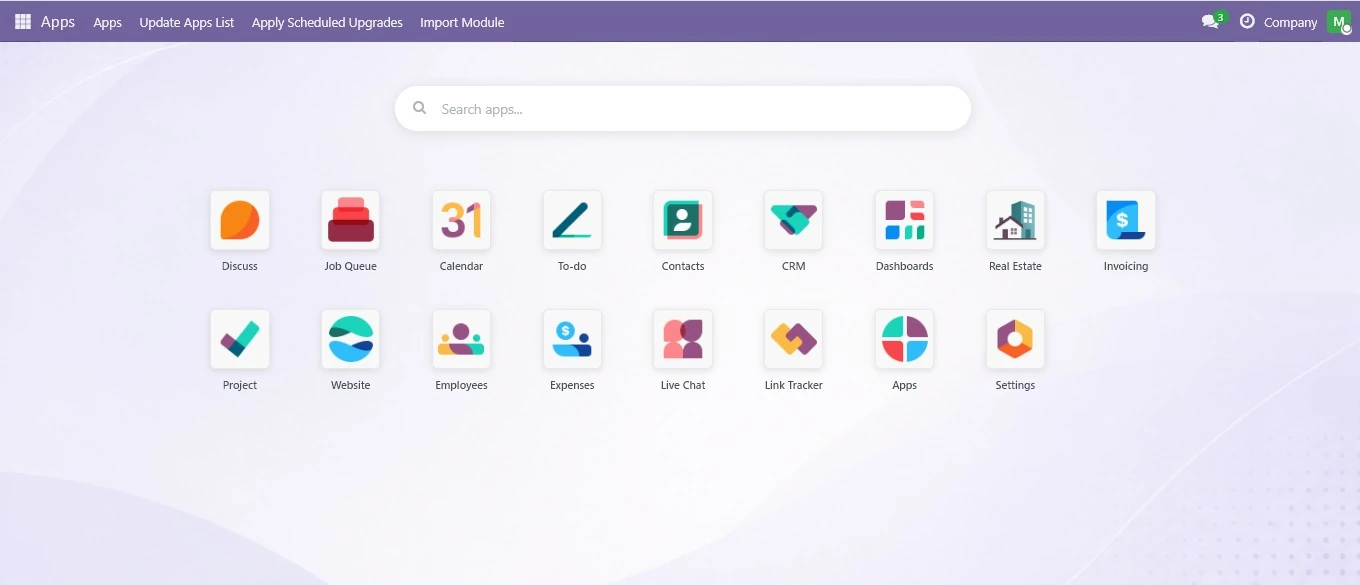
A clearer way into everyday work
As you add applications, finding the right workspace becomes part of every working day. App Switcher Home puts recognisable app tiles together and filters them as you type. A new colleague can browse the grid; an experienced user can search directly for the app they need.
What your team gets
- A full-page app launcher: open installed apps from a single visual grid.
- Instant search: filter apps by name, with the search field ready when the screen opens.
- Responsive navigation: touch-friendly tiles for phones, tablets and desktop screens.
- Familiar icons: support for image icons and Odoo/FontAwesome icon classes.
- Quick access: open the switcher from the navigation bar’s app-grid button.
A small change with a practical purpose
This is a focused upgrade for organisations using Odoo Community that want a more approachable daily workspace. It improves how users reach their applications; it does not change the business workflows inside them.
On installation, the module sets the home action for existing internal users. Where Odoo Website is installed, its frontend apps button can also open the switcher. Website is optional.
Compatibility and getting started
The published compatibility is Odoo 19 Community. The module depends on Odoo’s Web component and uses the OPL-1 licence. Choose an Odoo environment that permits custom addons, then install the module through your normal deployment process.
Need help checking your setup or rolling it out to your team? Tell us your Odoo version and hosting arrangement and we can discuss installation.
Give your Odoo team a clearer home screen.
Explore the current listing or tell us about your Odoo version, hosting and workflow.
Product information reviewed 21 October 2026. Official product details. Features, availability and prices are subject to the current product offering.